
Virtual staging is a cost-effective, fast, and flexible way to transform empty or outdated property photos into attractive, furnished spaces. Here’s why it matters and how it works:
- Cost Savings: Virtual staging costs $20–$100 per room compared to $2,000–$5,000 per month for physical staging.
- Faster Turnaround: Get staged photos in 12–24 hours versus 7–14 days for traditional staging.
- Boost Sales: Staged listings sell 73% faster and receive 48% more inquiries.
- Multiple Styles: Showcase rooms in different designs (e.g., Modern, Farmhouse) to appeal to diverse buyers.
- Convenience: No furniture rentals or logistics – everything is done digitally.
Quick Comparison Table: Virtual vs. Physical Staging
| Feature | Virtual Staging | Physical Staging |
|---|---|---|
| Cost | $20–$100 per room | $2,000–$5,000/month |
| Turnaround Time | 12–24 hours | 7–14 days |
| Flexibility | Multiple styles | Single design choice |
| ROI | 500%–3,650% | 102%–909% |
| Maintenance | None | Monthly fees apply |
Virtual staging is ideal for creating stunning online listings quickly and affordably. Whether you’re targeting local or international buyers, this digital solution helps properties stand out and sell faster.
How To Use Virtual Staging Ai Software For Only $.24 Per Image
Tools and Services for Quick Virtual Staging
Virtual staging begins with capturing high-quality photos and digitally transforming them into polished, market-ready listings.
Fast Virtual Staging: A Streamlined Service
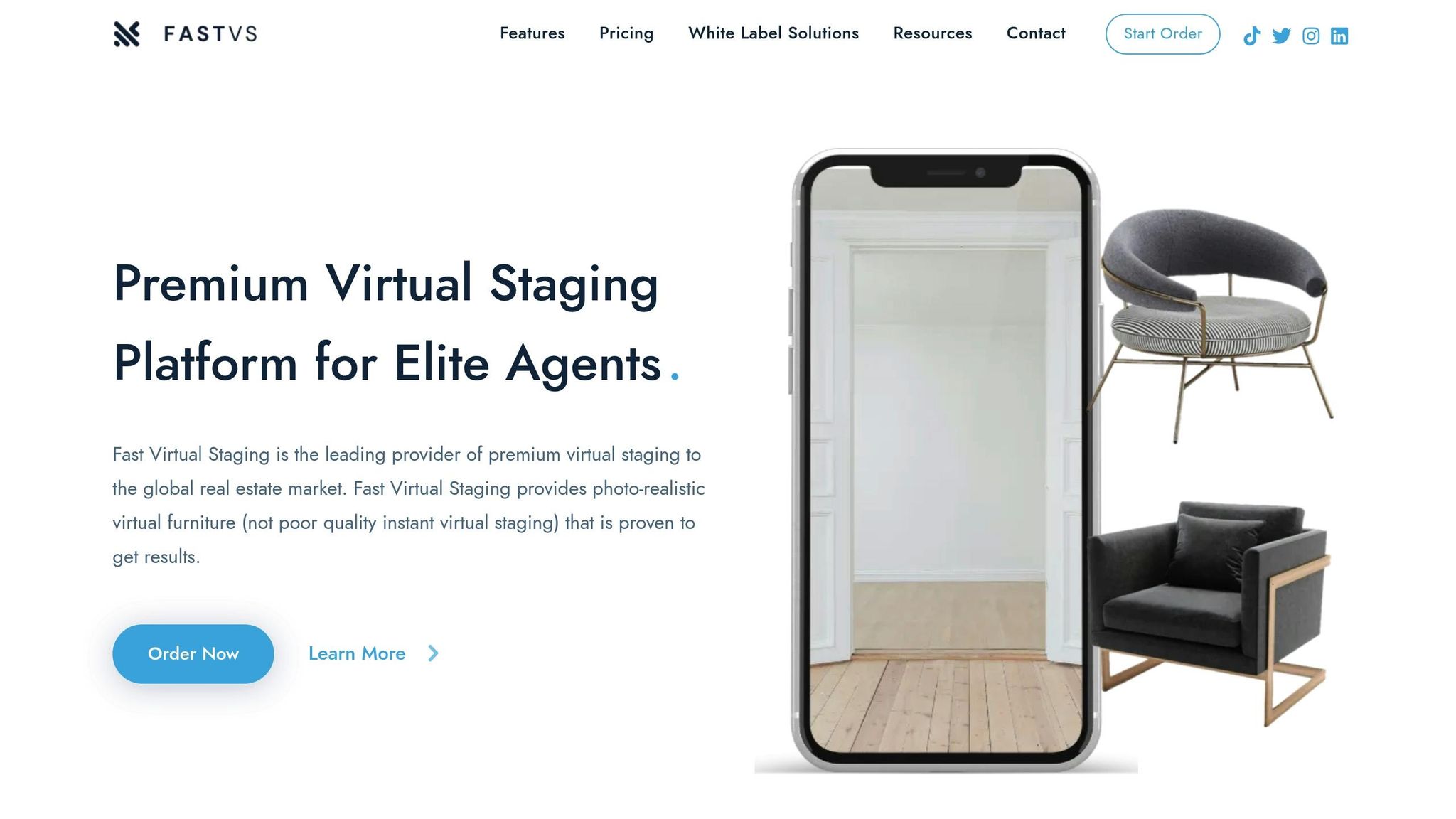
Fast Virtual Staging provides a tailored solution for real estate professionals who need photo-realistic results in a hurry. Their service includes a variety of customizable interior design styles for both residential and commercial properties, with a swift turnaround time – residential orders are delivered within 24 hours, and overall orders are completed in 12 to 24 hours.
What makes this service stand out is its dedicated account manager model and a no-hassle revision policy. Priced at $20 per image, it offers professional-grade results without requiring agents to manage the technical aspects. From selecting styles to delivering the final product, everything is handled for you. Additionally, the service includes white-label options, allowing real estate photographers and marketplaces to offer virtual staging under their own branding.
The real value of professional virtual staging lies in its ability to create realistic and visually appealing images that attract buyers and enhance a property’s marketability – critical in a competitive real estate environment.
Essential Tools for Capturing and Preparing Photos
Even with a professional staging service, the foundation of great results is high-quality photography. Studies show that professional-grade photos can help homeowners achieve up to 47% higher asking prices per square foot, and homes with standout images sell 32% faster than those with poor-quality visuals.
To capture the best shots, you’ll need a DSLR camera equipped with a wide-angle lens to showcase the full scope of each room, along with a sturdy tripod to keep vertical lines perfectly straight. Shooting in RAW format is recommended, as it offers greater flexibility for color correction and exposure adjustments during editing. For optimal lighting, open window treatments to let in natural light and turn off distractions like ceiling fans, TVs, or computer screens. This setup ensures clean, bright photos that serve as an ideal base for adding digital furniture and decor.
While virtual staging services handle the heavy lifting, basic photo editing tools can help fine-tune image quality, adjust exposure, and correct perspectives. Investing in quality photography is well worth it – 82% of buyer’s agents say staging helps clients better visualize a home. When choosing tools and services, think about your specific needs. High-volume agents might prefer subscription-based platforms, while those dealing with luxury properties may opt for premium services offering custom designs and multiple revision options.
Step-by-Step Guide to Quick Virtual Staging
Virtual staging is a game-changer for transforming empty or outdated properties into listings that grab attention and sell faster. By following these four steps, you can create polished, market-ready images that appeal to buyers.
Step 1: Take High-Quality Property Photos
Great virtual staging starts with sharp, professional photos. Begin by decluttering and cleaning each room – remove personal items, clear surfaces, and make sure everything looks spotless. This creates a blank canvas for adding digital furniture seamlessly.
Use a DSLR camera or a high-quality smartphone with HDR enabled for crisp images. Mount your camera on a tripod, shoot from chest height, and use the grid feature to keep your shots straight. Take multiple photos from different angles to capture the room’s best features.
Natural light is your best friend. Open curtains, avoid harsh artificial lighting, and plan your shoot based on the time of day when the lighting is ideal. For example, rooms with east-facing windows often look best in the morning.
"In real estate, quality images don’t just make your listings look good – they drive measurable results." – Zoe Jovic, Bella Virtual Staging
After capturing your shots, apply basic edits like color correction and cropping to ensure your images look polished. Once your photos are ready, it’s time to choose the design styles that will showcase the property’s potential.
Step 2: Choose Design Styles and Layouts
The right design style can make all the difference in how buyers perceive a property. Start by researching what resonates with your target audience and your local market. Trends like Transitional, Modern, Farmhouse, and Traditional are consistently popular with buyers.
Think about how the property’s architecture complements certain styles. For instance, a Victorian home might shine with Traditional or Transitional decor, while a sleek, modern condo pairs well with Mid-Century Modern or Modern Organic designs. Pay attention to standout features like hardwood floors, crown molding, or unique layouts, and choose furniture and decor that enhance these elements.
Offering multiple design options for a single property can broaden its appeal. For example, showcasing both Modern and Transitional styles might attract a wider range of buyers. Strategically placed furniture can also highlight the home’s strengths – such as arranging seating to frame large windows or using rugs to define open-concept spaces.
Step 3: Submit Photos for Staging
Once you’ve selected your design preferences, upload your photos to a virtual staging platform. Fast Virtual Staging makes this process quick and simple – it takes less than three minutes to submit your images.
When placing your order, specify your preferred design style for each room, along with details like room dimensions, standout features, or any specific furniture requests. The platform caters to both residential and commercial properties, offering plenty of customization options.
Pricing is straightforward: $20 per image, with discounts for bulk orders. Need a fast turnaround? Rush delivery options are available, though standard orders are typically completed within 24 hours for residential spaces. A dedicated account manager will oversee your project, and white-label solutions are offered for those looking to rebrand the service.
Step 4: Review and Finalize Results
Once your staged images are ready, review them to ensure they meet your expectations. Professional staging services like Fast Virtual Staging deliver results within 12–24 hours for most projects, giving you plenty of time to assess the final product.
Pay close attention to how well the digital furniture integrates into the space. Look for natural lighting, realistic shadows, accurate proportions, and colors that enhance the room without overpowering it. If anything feels off, don’t worry – revision options are available. You can request changes like furniture adjustments, color tweaks, or repositioning to better match the space.
Virtual staging can deliver dramatic results. For instance, Austin Mielczarek from Keller Williams Indy Metro W used virtual staging on four rooms of a home that had been sitting on the market for over six months. After staging, the property saw 12 showings and received 3 offers within just six days.
Finally, be transparent about using virtual staging in your marketing materials. Once you’re happy with the results, download the high-resolution images – they’re perfect for MLS listings, brochures, and online platforms.
sbb-itb-7eef225
Making the Most of Virtually Staged Photos
Once you’ve completed the virtual staging process, it’s time to turn those enhanced images into powerful selling tools. With the right strategies, these photos can help your property stand out and attract potential buyers. Here’s how to make the most of them.
Highlight Property Features
Virtual staging is a great way to emphasize a home’s standout architectural elements. Thoughtfully placed furniture can draw attention to features like soaring ceilings, large windows, or charming details such as exposed brick or elegant hardwood floors.
For example, positioning a cozy seating arrangement near a fireplace or placing a dining set to frame a scenic view can make these features shine. The key is to use furniture that complements the space rather than overshadowing its unique details. When buyers see how these features could enhance their daily lives, they’re more likely to connect with the property.
"Some people walk in an empty house and that’s all they see – an empty house – and they can’t picture what it would look like staged, so this helps a lot."
- Farrell Desselle, Listing Coordinator at Redfin Realty
Show Multiple Design Options
Why stop at one design? Offering a variety of styles, like Modern and Traditional, can broaden your home’s appeal. This strategy works especially well for properties targeting a diverse audience.
In fact, 81% of buyers’ agents report that staging helps buyers visualize a property as their future home. And it’s not just about imagination – staged homes tend to sell faster and for better prices. Statistics show that staged listings sell 75% quicker, and 85% of them close at or above the asking price. By showing multiple design possibilities, you increase the chances of connecting with a buyer’s individual taste.
Stage Outdoor Spaces for a Complete Look
Don’t forget the outdoors! Spaces like patios, decks, and balconies can be just as important as the interiors. Virtual staging allows you to transform these areas into inviting extensions of the home.
For instance, you could add an outdoor dining set to highlight entertainment potential or arrange lounge chairs with potted plants to evoke a sense of relaxation. These touches not only enhance the overall presentation but also appeal to buyers who value outdoor living.
"Staging isn’t just about making a home look beautiful – it’s about helping buyers envision their lives there. When done thoughtfully, staging highlights a property’s strengths and allows buyers to emotionally connect with the space. That connection can make all the difference."
- Amanda Lewis, Owner of Den Styling
Keep Staging Realistic and Proportional
While virtual staging can transform a space, it’s essential to keep things realistic. The success of these images depends on how believable they appear. For starters, furniture and decor should match the room’s proportions. Oversized or undersized pieces can throw off the balance and make the space feel unnatural.
Lighting is another critical factor. Virtual furniture and decor must blend seamlessly with the room’s existing lighting – this includes matching shadows, light direction, and color tones. When done right, virtual staging can help homes sell up to 73% faster than vacant listings. On the flip side, poorly executed staging can damage trust and keep a property on the market longer.
"A virtual image must feel like a believable snapshot, not a video-game render."
Transparency is also key. Always disclose that the photos have been virtually staged and include original, empty-room photos in the listing gallery. This honesty builds trust with buyers and ensures they know what to expect during in-person showings.
"When done right, virtual staging can help sell a home faster and for more money. To do this, you’ll want to hire a professional real estate photographer who knows how to take high quality photos and also work with a reputable virtual staging company that produces photo-realistic images."
- Devon Higgins, Head of Sales & Marketing at PhotoUp, Realtor at Hello Homes GR
Virtual Staging vs. Physical Staging: A Comparison
When deciding between virtual and physical staging, real estate professionals weigh factors like cost, speed, and overall impact on the sale process.
Cost is one of the most noticeable differences. Virtual staging typically costs between $29 and $75 per photo, whereas physical staging ranges from $1,500 to $5,000 per home. For a 2,000 sq. ft. property staged for three months, physical staging can cost around $7,200 to $8,800, including consultation, setup, and monthly fees. In contrast, virtual staging for 10 photos of the same property would cost just $290 to $350.
Speed is another area where virtual staging shines. While physical staging can take 7 to 14 days to complete, virtual staging delivers results in just 12 to 48 hours. This quicker turnaround means properties can hit MLS listings and social media platforms much faster, reducing carrying costs and getting in front of potential buyers sooner.
Flexibility is a unique advantage of virtual staging. It allows for showcasing multiple design styles with quick digital edits, whereas physical staging is limited to a single design for the entire staging period.
The return on investment (ROI) also varies significantly. Virtual staging offers ROI figures ranging from 500% to 3,650%, while physical staging delivers ROI of 102% to 909%. Both methods can help homes sell above the asking price, with physical staging leading to 85% of staged homes selling above list price and price increases ranging from 5% to 23%.
Comparison Table: Virtual vs. Physical Staging
| Feature | Virtual Staging | Physical Staging |
|---|---|---|
| Cost per Project | $29–$75 per photo | $1,500–$5,000 per home |
| Setup Time | 12–48 hours | 7–14 days |
| Three-Month Cost | $290–$350 | $7,200–$8,800 |
| Design Flexibility | Multiple styles | Single design choice |
| Changes/Revisions | Quick digital edits | Physical furniture moving |
| ROI Range | 500%–3,650% | 102%–909% |
| Monthly Maintenance | None required | $2,000–$2,400 |
| Storage/Logistics | Digital files only | Furniture storage and transport |
Virtual staging is ideal for fast, cost-efficient marketing campaigns, while physical staging may be better suited for luxury properties where buyers expect to experience real furnishings in person.
Ultimately, the choice depends on your specific needs. Virtual staging excels for online listings and initial marketing efforts, while physical staging can create a tangible, in-person connection for high-end homes.
Conclusion: Why Quick Virtual Staging Changes the Game
Virtual staging has reshaped property marketing, offering real estate professionals a faster, more affordable way to present homes. With turnaround times as short as 12–24 hours – compared to the 7–14 days needed for traditional staging – properties can hit MLS listings and social media up to a week sooner. This speed not only accelerates the marketing process but also helps sellers cut down on carrying costs.
Cost is another major factor. While physical staging can cost around $7,200 for a three-month contract, virtual staging is far more budget-friendly, ranging from just $20 to $100 per photo. This affordability makes it a practical option even for mid-range properties, leveling the playing field for a broader range of sellers.
Virtual staging also brings unmatched flexibility. Agents can showcase multiple design styles for the same property, allowing them to appeal to a variety of potential buyers without the logistical headaches of traditional staging.
The results speak for themselves: homes with virtual staging spend an average of 24 days on the market, compared to 90 days for unstaged properties – a staggering 73% reduction in listing time. On top of that, the return on investment (ROI) can range from 500% to 3,650%, delivering tangible benefits for both agents and sellers.
"Virtual home staging can be a game-changing tool that helps save your clients time and money. It may also attract more buyers when they see the impressive photos in the listing. As long as you follow ethical practices, virtually staging your client’s home may help you to stand out from the competition and generate a faster sale." – PNC Insights
FAQs
How does virtual staging make a property more appealing and easier to sell compared to traditional staging?
Virtual staging transforms a property’s online presence by producing eye-catching, professionally designed images that highlight its potential. Instead of relying on physical furniture and decor like traditional staging, virtual staging offers a quicker, more affordable, and easily adaptable solution to suit various buyer tastes.
By turning empty or outdated rooms into warm, inviting spaces, virtual staging helps listings shine, draws in more potential buyers, and speeds up the selling process. It’s a smart way to showcase a property’s strengths without the hassle and cost of physical staging.
What camera and techniques should I use to capture high-quality photos for virtual staging?
To take stunning photos for virtual staging, start with a DSLR or mirrorless camera and pair it with a wide-angle lens – something in the 14-24mm range works best. Mount your setup on a sturdy tripod for stability. For the best results, consider shooting in HDR mode to capture a wider dynamic range and balance the lighting across your images.
Use natural or soft lighting to reduce harsh shadows and maintain a clean, well-exposed look. Keep your camera level to ensure straight horizons, and use either a remote trigger or the timer function to prevent camera shake. Once you’ve captured your shots, refine them with editing software to enhance clarity, adjust exposure, and correct any distortions. This step ensures your photos are polished and ready to impress.
How can I use virtual staging to enhance my real estate photos effectively?
To make the most out of virtual staging for your real estate photos, start by selecting a reliable virtual staging service that delivers lifelike and customizable designs. Begin with high-quality, well-lit photos of the property, focusing on empty rooms or spaces that could use an updated look.
Collaborate with the staging team to pick furniture and décor styles that align with your target audience’s preferences and highlight the property’s best features. After the staging is complete, carefully review the images to ensure they appear natural and polished. Incorporate these enhanced visuals into your marketing efforts to create a memorable first impression and draw in more prospective buyers. Virtual staging is a quick and budget-friendly way to make your listings shine and capture attention.